"Send to Cassettoni."
Auris hears the word, doesn't know it. Best guess lands in the app.
The basic loop in three steps.
Everything else is how you shape what comes out.
You should probably try the new Italian place on Main, food is really good and prices are reasonable.
Auris hears the word, doesn't know it. Best guess lands in the app.
You fix the typo in whichever app it landed in. Auris works in every app where you can type.
The correction goes into your dictionary automatically. Next time you say it, it lands right.
The dictionary catches matches before the polish step ever sees them. You stop fixing the same name, acronym, or technical term over and over.
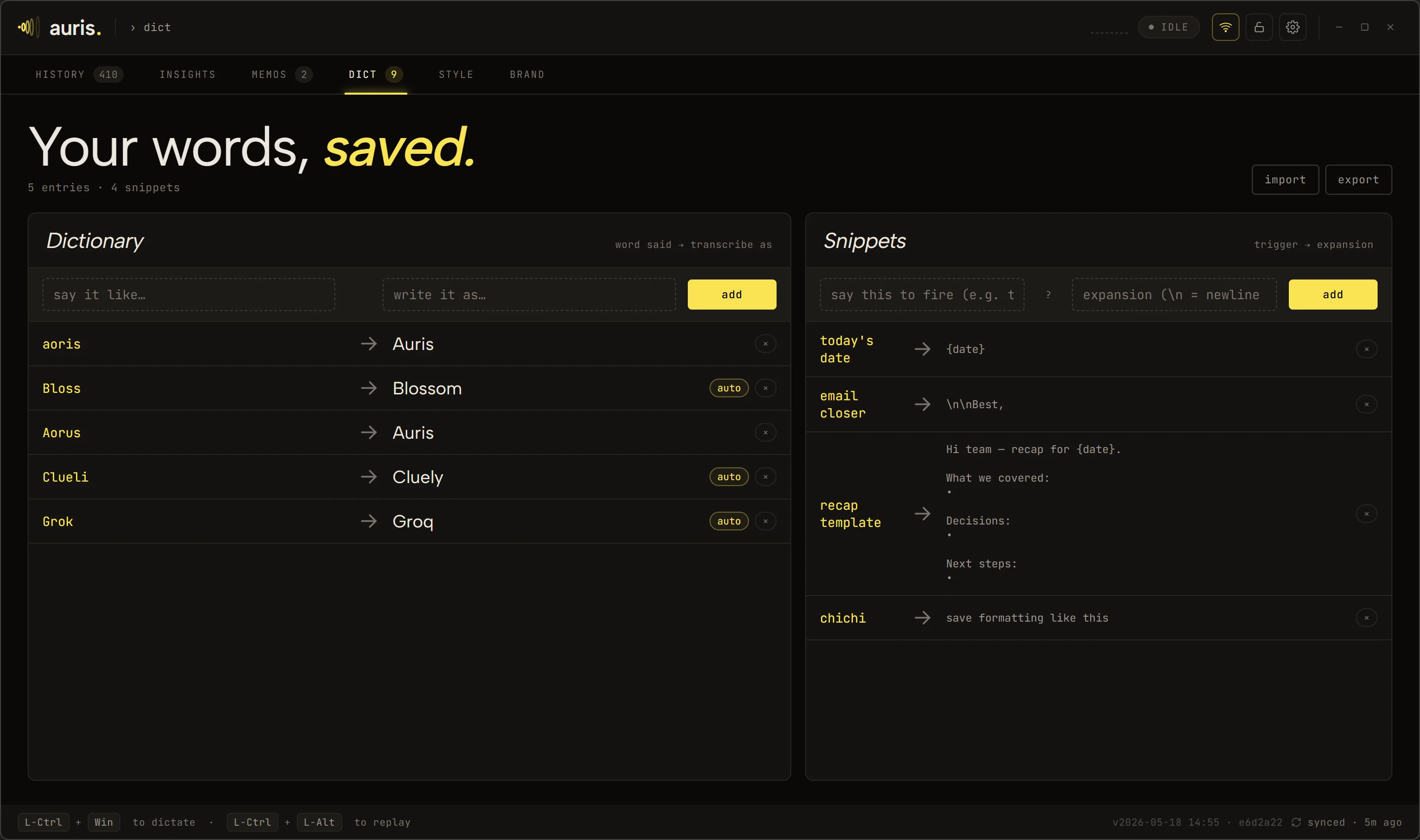
Build your own snippets in the Dict tab. Edit them whenever.
They live on your machine.
Add your own with regex for company-specific things: employee IDs, internal project codes, internal URLs. See the full pattern list on the privacy page.
Note: Patterns match locally after the transcript returns. Cloud STT or cloud LLM polish sees the unredacted content first; only your local history gets filtered. For fully off-network protection, run both speech-to-text and polish locally.
Click "Allow" when the system prompt appears. On Windows, you might also need to grant access in Settings → Privacy → Microphone.
Choose where Auris runs the polish step: OpenAI, Anthropic, or Groq with your API key, or a local model for full privacy.
Ctrl + Fn on Mac, Ctrl + Win on Windows by default. Change them if you want.
Hold the key. Say something. Watch your words land in the text field.
Auris is in beta. One email when it ships, no newsletter.
The setup is two minutes; the first dictation is one keystroke away.